

Word search books sell well on Amazon, and KDP is print-on-demand: no inventory, no print runs. Once a book is live it can earn while you work on the next. Below we cover how to go from niche to finished book. In PuzzlePro you generate themed word lists with AI, build the puzzles and cover in the editor, and export interior and cover PDFs ready to upload straight to Amazon KDP. Most people get from idea to export in minutes, and you don't need design software.
Choose a theme that has an audience and that you're interested in. Holidays, hobbies, animals, travel and education all work. Check what similar books are on Amazon and how they sell. A clear niche helps people find your book. In PuzzlePro you type your topic once and the AI word generator spits out a themed list (up to 5,000 words); you can edit or add words. Themes like holidays or animals are easy to repeat, so you can do a series or build a catalog over time.
You don't have to type every word. Enter your topic and the AI word generator builds a themed list (up to 5,000 words); tweak, add or drop words as you like. Pick a difficulty preset: Easy (12×12, 12 words), Medium (15×15, 20), Hard (18×18, 30), or Pro (20×20, 40). The app generates unique, solvable puzzles from your list and keeps the layout consistent. Puzzle pages and word lists come out styled and ready to upload straight to Amazon KDP, with no spreadsheets or manual layout.
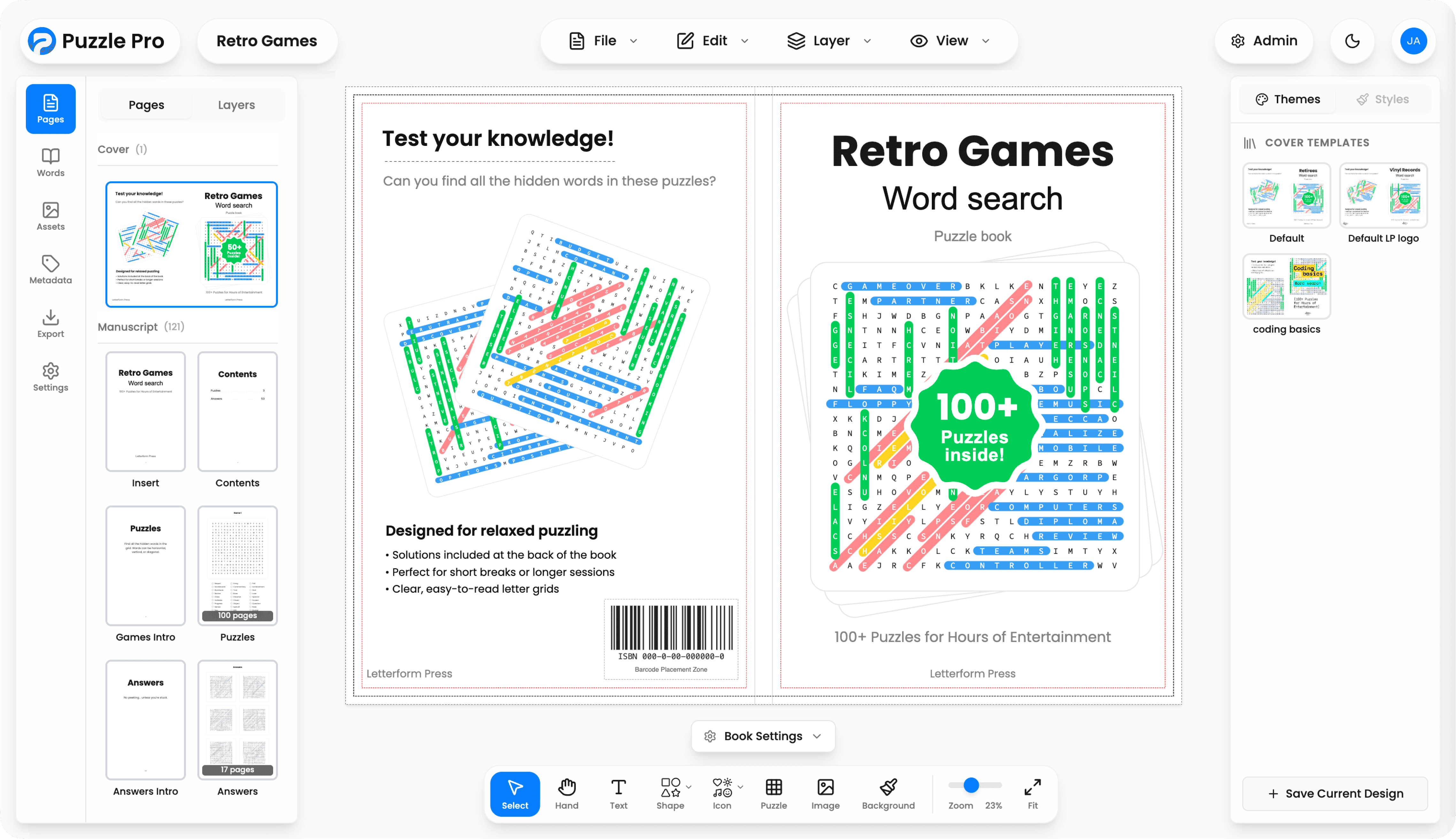
The app lays out the book: insert and contents, a games intro, your puzzle pages, an answers intro, then answer pages. Answer pages are auto-generated (up to six solved puzzles per page) and included in the manuscript. You decide how many puzzles per book (e.g. 50–100). Page count and layout are handled so they match KDP's rules for your trim size.
In PuzzlePro you pick one of 14 KDP trim sizes (e.g. 6×9, 8.5×11, landscape, square). Margins and bleed are set for print; you can adjust font size and grid so the puzzle and word list read well.
A spine offset is applied by default, insetting each page slightly from the spine so content doesn't sit too close to the fold when the book is open. Readers can complete puzzles comfortably without them disappearing into the spine. You can change the offset or turn it off in the export settings.
Page count comes from how many puzzles you chose, so spine width and cover dimensions are calculated automatically. There's no manual formatting or size adjustments needed for the cover. No InDesign or other design software. When you're happy with the layout, export interior and cover as PDFs ready to upload straight to Amazon KDP.
Export from the editor: manuscript (puzzles plus answer pages), cover, or both. You get a single download with both files ready to upload to KDP. PDFs are ready to upload to KDP (bleed and trim are set). Preview with a watermark is free; paid export when you're ready. Spot-check the PDFs for layout and page numbers, then upload.
In Amazon KDP, create a new paperback, upload your interior and cover PDFs, then fill in title, description, keywords and categories. The app's metadata tab generates a book description, title and subhead, and suggests which categories to set in KDP; you can copy and paste from there. Use the digital preview to double-check everything, set pricing and distribution, and publish. After that it's live and can earn while you start the next book.
Want to give it a go? Sign up for free, pick a niche, generate a word list and export your first book. No design experience needed. Every book you add is another stream of royalties.
Free to try. Pay only when you export.
Create puzzles, preview free. Download a watermarked PDF anytime. Pay only when you export clean files.